Year-End Fundraising Ideas for Small Nonprofits: 20 Low-Cost Campaigns You Can Run on Social Media
20 low-cost fundraising ideas for small nonprofits to run on social media at year end, each with effort, cost and a sample post you can use today.

Small, volunteer-run nonprofits can run a real year-end fundraising push on social media alone, with no event venue, no mailed appeal, and little to no budget. Below are 20 campaigns organized into five formats you can start this week: a giving-day countdown series, matching-gift posts with a local business, donor thank-you videos, impact-update carousels, and a creator takeover. Each idea lists the effort it takes, roughly what it costs, and a sample post you can adapt in your own voice.
How a Giving-Day Countdown Series Builds Urgency Without a Big Ad Spend
A giving-day countdown series is a run of daily posts, usually five to seven days, that counts down to a single deadline and gives followers a new, specific reason to give each day. It works for small teams because each post reuses the same template, so you're writing captions, not building new content from scratch.
1. The 5-Day Need-a-Day Story Series
Effort: Low. Cost: $0. Post one Instagram or Facebook Story each day for five days, naming one specific, real need your program has right now (winter coats, bus passes, classroom supplies). Keep a countdown number in the graphic, not a dollar goal. Sample post: "Day 3 of 5: today we're asking for help covering [specific need]. Every share gets us closer. Link in bio to give."
2. The Giving Clock Pin
Effort: Low. Cost: $0. Pin one post to the top of your profile with a simple countdown graphic (hours or days left), and edit the caption each morning so it always reflects the time remaining. Sample post: "48 hours left in our year-end push. If you've been meaning to give, now's the moment. Link in bio."
3. The Comment-Why-You-Give Challenge
Effort: Medium. Cost: $0. Ask current donors and volunteers to comment on why they support you, then screenshot a few of the best comments (with permission) into the next day's Story as social proof as you count down. Sample post: "Tell us in the comments why you give. We'll share our favorites all week as we count down to [date]."
4. The Last-Call Selfie Video
Effort: Low. Cost: $0. On the final day, record one unscripted, phone-selfie video from a staff member or volunteer, filmed in a real program space, asking people directly to give before the countdown ends. Sample post: "We've got until midnight. If this cause matters to you, this is the moment to act. Link in bio."
How a Matching-Gift Post With a Local Business Works
A matching-gift post pairs your nonprofit with one local business that agrees to match gifts during a set window, often just a few hours or a single day, and both accounts post about it at the same time so each audience sees the match. Matching gifts carry real pull: Double the Donation reports that $4 billion to $7 billion in matching funds goes unclaimed every year, and that 84% of donors say they're more likely to give when a match is offered.

5. The Business Shoutout Swap
Effort: Low. Cost: $0. Ask a local business you already have a relationship with to match gifts for a set window, then post about it on both accounts at the same time, tagging each other. Sample post: "[Business name] is matching every gift to us today. Give once, it counts twice. Tap the link before the window closes."
6. The Meet-the-Match Reel
Effort: Medium. Cost: $0. Film a 30 to 60 second interview with the business owner explaining why they're matching gifts this year, shot on a phone inside their shop. Sample post: "We asked [owner's name] why [business] is matching gifts this year. Here's what they said."
7. The Behind-the-Counter Story
Effort: Medium. Cost: $0. Spend a morning filming short, candid Stories of a regular day at the partner business, ending each one with a reminder that gifts are matched until the window closes. Sample post: "Spending the morning at [business], who's matching every gift today. Swipe up before close of business to double yours."
8. The Match-Window Countdown Graphic
Effort: Low. Cost: $0 to $10 if you pay for a simple design app. Post a graphic at the start and end of the matching window stating the hours it covers, tagging the partner business both times. Sample post: "Matching starts now and ends at 6pm. [Business] is doubling every gift until then."
What Makes a Donor Thank-You Video Worth Watching
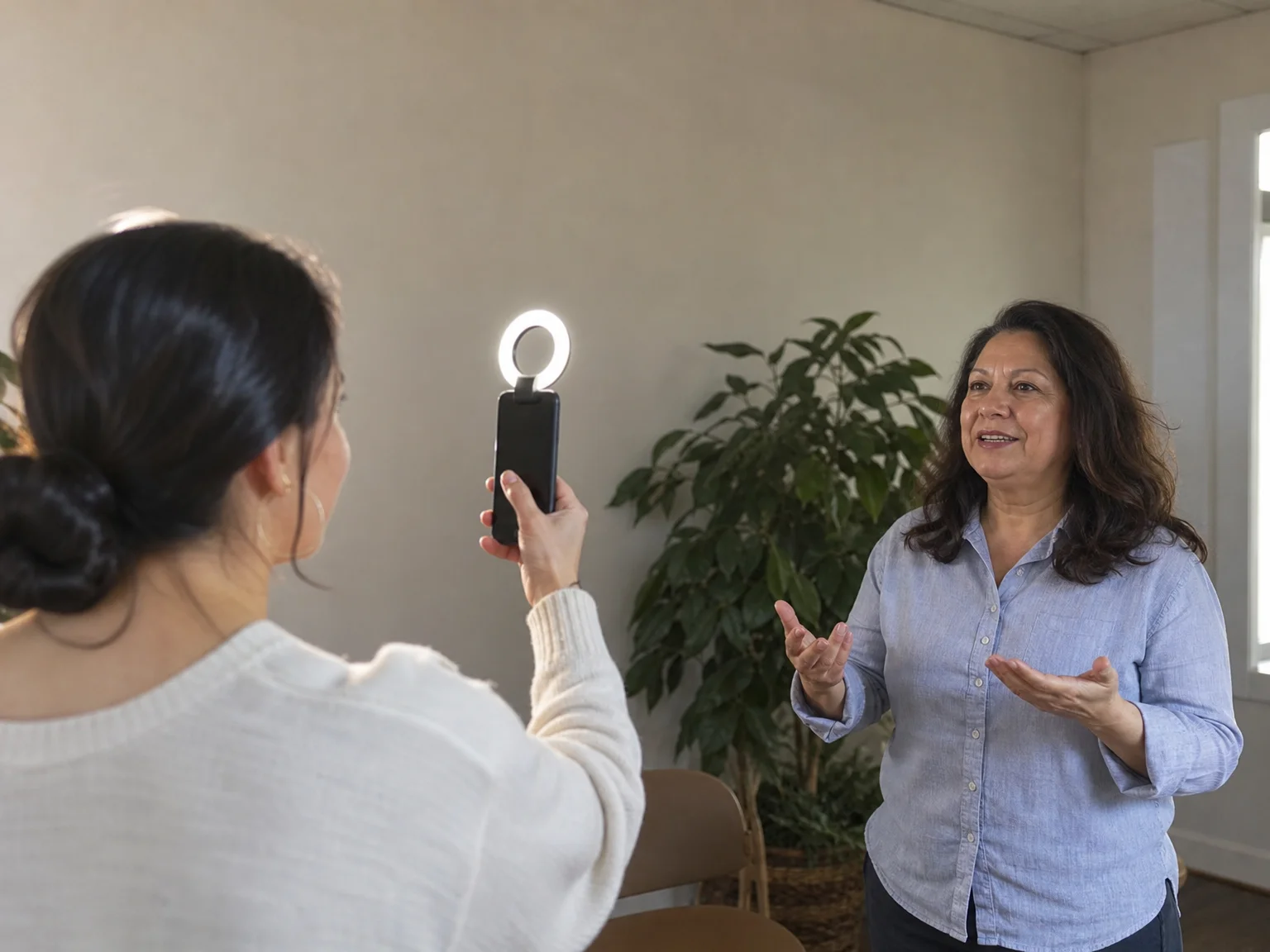
A donor thank-you video works best as a short, unscripted clip from a real staff member or volunteer, filmed on a phone in a real program space, rather than a polished production. It matters for trust, too: when you're posting from a nonprofit's account, followers want some assurance the person on screen is who they say they are, not a fake or AI-generated stand-in. Repfie's verified human profiles and likeness registration address that for your own team and partners: a quick liveness check confirms a real person is behind the account, and any AI creation made with someone's likeness gets signed as theirs. It won't catch every impersonator on its own, but it gives supporters a way to tell a verified person from a fake one.
9. The One-Take Thank You
Effort: Low. Cost: $0. Record a single 20 to 30 second clip of a staff member thanking everyone who gave that month, filmed in front of whatever the gifts funded. Sample post: "To everyone who gave this month: this is for you. Thank you."
10. The First-Names-Only Shoutout
Effort: Medium. Cost: $0. With permission, thank a handful of donors by first name in one batch video, which feels personal to watch but takes one filming session to produce. Sample post: "A few of the people who made this month possible: [first names]. We see you, and we're grateful."
11. The Before-and-After Thank You
Effort: Medium. Cost: $0 to $15 for a basic phone clip-on light if your space is dim. Show a short before-and-after of a space or program improvement funded by recent gifts, narrated by whoever ran the project. Sample post: "This is what your gifts built this year. Swipe to see where we started."
12. The Volunteer Relay Thank You
Effort: Medium. Cost: $0. Have three or four volunteers each film five seconds saying one line of thanks, then stitch the clips together into one video, splitting the effort across several people instead of one. Sample post: "It took all of us to say thank you properly. Watch to the end."
How an Impact-Update Carousel Keeps Donors Engaged Between Asks
An impact-update carousel is a multi-slide photo post where each slide shows one real result of a recent gift, ending on a thank-you slide, and it works because it gives supporters something other than a direct ask between appeals.
13. The What-Your-Gift-Covered Carousel
Effort: Low. Cost: $0. Photograph three to five items or activities your program funded recently, one per slide, ending with a plain thank-you slide. Sample post: "Swipe through to see exactly what recent gifts covered this month."
14. The Before-and-After Carousel
Effort: Low. Cost: $0. Pair "before" and "after" photos of a space, project or program result across alternating slides. Sample post: "Then. Now. Swipe to see the difference your support made."
15. The Day-in-the-Program Carousel
Effort: Medium. Cost: $0. Photograph one full day of program activity, slide by slide, so followers who have never visited can see what actually happens. Sample post: "A full day at [program name], in photos. This is where your support goes."
16. The Milestone Carousel
Effort: Low. Cost: $0. When you hit a real milestone this year, build a few slides around your own tracked number (meals served, people trained, families helped) leading up to a final reveal slide. Sample post: "We hit a milestone this year. Swipe to see what it took to get here."
What Is a Creator Takeover, and Why Try One at Year End
A creator takeover hands your account, or theirs, to someone outside your regular posting rotation for a day, usually a volunteer, a local micro-creator or a partner nonprofit, so your mission reaches people who don't already follow you. This is also where an ongoing version of the matching-gift idea can take root: instead of a one-day match, Repfie's Nonprofit registration lets sellers and influencers choose your nonprofit so a portion of each sale they make goes to you automatically, with a traceable record of each contribution, rather than relying on one business agreeing to a single-day match.
17. The One-Day Volunteer Takeover
Effort: Medium. Cost: $0. Hand your Stories to one volunteer for a day and let them document the work from their own point of view, in their own voice. Sample post: "Today, [volunteer name] is taking over our Stories to show you a day in their own words."
18. The Volunteer Q&A Takeover
Effort: Medium. Cost: $0. Have a volunteer host a live or recorded Q&A about the mission, answering questions a staff member might not think to address. Sample post: "[Volunteer name] is answering your questions about our work today. Drop yours below."
19. The Nonprofit Swap-Seats Takeover
Effort: Medium. Cost: $0. Partner with one other small nonprofit and each take over the other's account for a day, introducing your work to their followers and theirs to yours. Sample post: "Today we're taking over @[partner nonprofit]'s account, and they're taking over ours. Go see what they're building."
20. The Micro-Creator Visit Takeover
Effort: Medium. Cost: $0. Invite a local micro-creator who already cares about your cause to film a short visit or tour, post it to their own account, and repost it to yours. Sample post: "[Creator name] stopped by to see our work firsthand. Here's what they found."
Turn a One-Time Shoutout Into an Ongoing Source of Support
The campaigns above each ask supporters to act once, during a specific window. A steadier complement is Repfie's Nonprofit registration: sellers and influencers on the platform choose your nonprofit, and a portion of each sale they make goes to you automatically, with a traceable record of each contribution, so the giving doesn't stop when the countdown or the match window ends. Pair that with verified human profiles and likeness registration, so the sellers, influencers and volunteers posting on your behalf are confirmed real people rather than fake accounts. Verification reduces fake accounts; it doesn't eliminate every bad actor, but it's one more layer of trust for donors deciding whether to give.
FAQ
What's the lowest-cost fundraising idea for a small nonprofit at year end? A giving-day countdown series costs nothing beyond staff time: post daily Stories on Instagram or Facebook naming one specific need per day, then end with a simple final-day video asking people to give before the countdown hits zero.
How does a matching-gift post with a local business work? A small nonprofit partners with one local business that agrees to match gifts for a set window, a few hours or a single day, and both accounts post about it at the same time so each audience knows a gift is being doubled during that window.
Do donor thank-you videos need professional equipment? No. A phone held steady or propped on a small stand, natural window light, and one authentic 20 to 30 second message are enough. Batching several short thank-yous from different volunteers into one video also cuts the time it takes to make them.
What is a creator takeover for a nonprofit's social accounts? It's when a volunteer, local micro-creator or partner nonprofit posts to your account for a day, or you post to theirs, so your mission reaches a different audience than your usual followers without you producing every piece of content yourself.
How can nonprofits make sure a sale-based donation from a seller or influencer actually arrives? Look for a partner that uses a system with traceable contributions, such as Repfie's Nonprofit registration, where a portion of each sale a verified seller or influencer makes to a chosen nonprofit is calculated and sent automatically rather than tracked by hand.
How many of these campaigns should a small, volunteer-run team try at once? Most small teams get better results running one or two formats well, for example one countdown series plus one thank-you video, rather than attempting all five formats at once during a short year-end window.
Sources: doublethedonation.com.
Show up as the real you
Repfie is the social platform where every profile is a verified, real person. Share your best shots, grow a following that trusts you, and earn from real recommendations.
Join Repfie free →