Instagram Pictures for Your Profile: How to Take a Profile Photo That Looks Like You (and Looks Real)
How to take an Instagram profile photo that still looks sharp at tiny circle size: crop, background contrast, lighting, outfit, phone settings and a 3-shot practice drill.
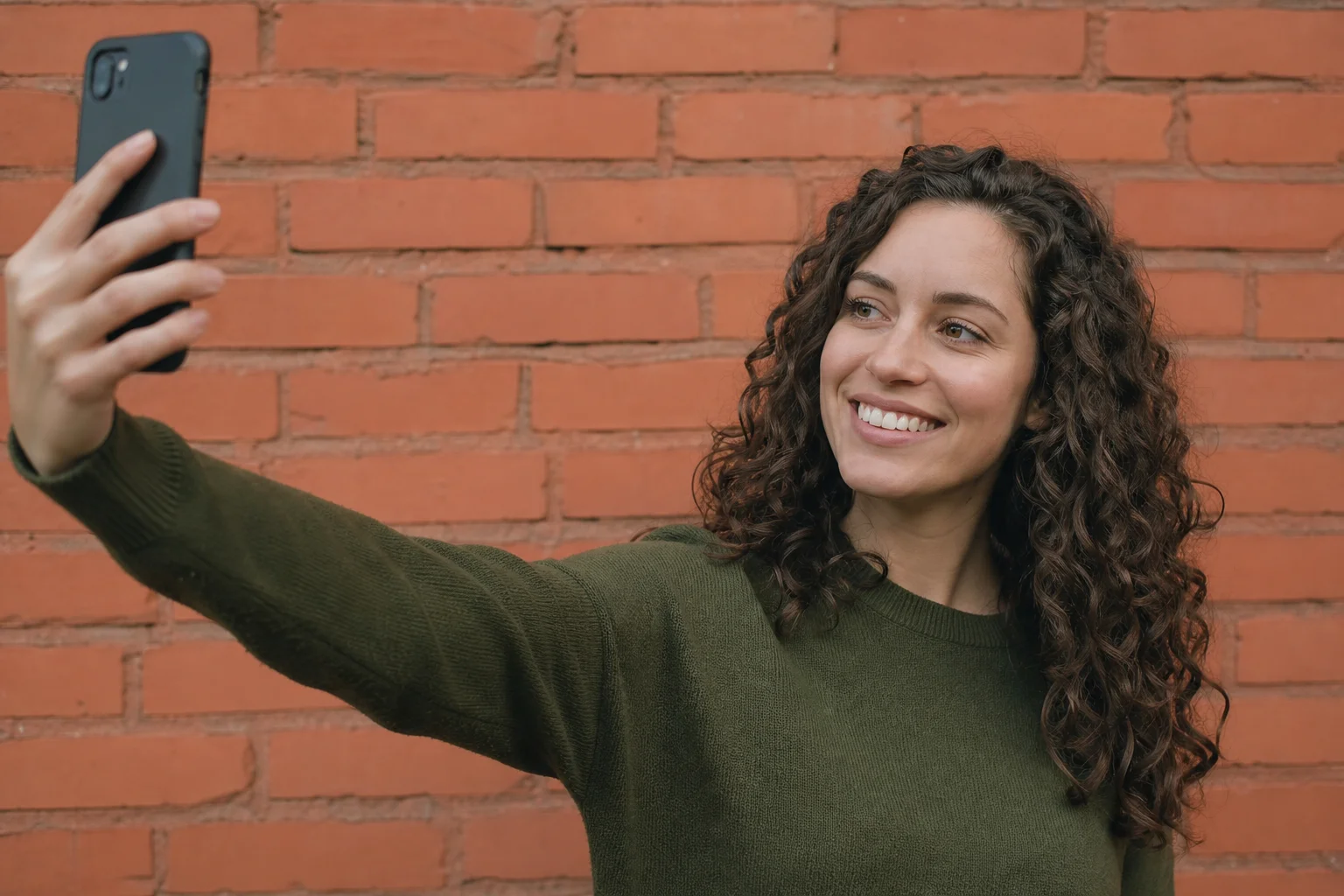
Your Instagram profile photo almost never shows up at full size. It shows up as a small circle: next to your comments, in people's DM list, inside the Stories ring, in search results. The photos that still work at that size share five things: a tight head-and-shoulders crop, a background that contrasts with you instead of blending in, a face that fills most of the frame, soft natural light, and a simple outfit that doesn't compete for attention. Just as important, the photo should actually look like you. For a lot of people deciding whether to trust a follow request or a DM, your profile photo is the first clue that there's a real person on the other end.
Here's a practical, phone-only method for getting there, plus a three-shot drill you can run through in one sitting.
Why Your Profile Photo Has to Work at a Tiny Circle Size
Instagram crops your profile photo into a small circle everywhere it appears, so anything that looks fine in a normal-size photo (a busy background, a distant face, dim light) turns into a blur once it shrinks. You'll see that circle next to every comment you leave, in your followers' DM list, around your name in Stories, and in search results, almost always at a size smaller than a thumbnail. A photo that was shot and judged at full screen size can fall apart completely once it's that small.
Because the crop is circular, the corners of your square upload get cut off entirely. Anything you want visible has to sit inside an imaginary circle in the middle of the frame, not spread out to the edges.
Crop It for the Circle, Not the Square
Instagram's upload is a square, but the app displays it as a circle, so frame your shot with a little extra room on all four sides and keep your head centered rather than filling it corner to corner. If you crop so tightly that your forehead or chin touches the edge of the square, the circular crop will likely cut into your face.
A few practical habits:
- Shoot a bit wider than you think you need, then crop in during upload rather than cropping tight in-camera.
- Use Instagram's square crop grid and center your face in the middle third of the frame.
- Leave a small gap above your head instead of letting hair touch the top edge.
- Before you publish, zoom out on your own screen (or ask a friend to look at your profile) to see how it reads at actual size.
Choose a Background With Contrast, Not Clutter
A background that's a different tone from your skin, hair and clothes stays readable at a small size, while a background that's close in color or brightness to you blurs into one muddy shape once the photo shrinks. This matters more for profile photos than almost any other kind of picture, because there's so little room for detail to survive the shrink.
Plain walls, doorways, painted fences and solid-color curtains all work well. If you're outdoors, step a few feet back from busy foliage or signage so it blurs into a simple backdrop instead of competing with your face. A quick test: squint at the photo on your phone from across the room. If you can still tell where you end and the background begins, the contrast is doing its job.
Fill the Frame: How Much Face Is Enough?
At circle size, your face should take up roughly half to two-thirds of the frame: a head-and-shoulders shot, not a distant full-body photo or a wide group shot you cropped yourself out of. The closer you are without cropping off your chin or forehead, the more recognizable you'll stay once the image shrinks.
Hold your phone at roughly arm's length to upper-chest distance rather than backing across the room, and have your head fill most of the vertical space in the frame. If you're using a photo someone else took, pick one where you're clearly the closest and largest person in it, not a face in the middle of a crowd.

Shoot in Natural Light (and Skip the Overhead Light)
Soft, even light from a window or open outdoor shade shows your actual skin tone and features, while a single overhead bulb or direct midday sun creates harsh shadows that distort how you look. Light is the single biggest difference between a profile photo that looks like a snapshot of you and one that looks like a mugshot.
Face a window rather than standing with your back to it (backlighting turns your face into a silhouette). Outdoors, look for open shade, like the shadow side of a building, instead of direct sun, which casts hard shadows under your eyes and nose. Early morning or late afternoon light outdoors is more forgiving than midday. Skip the camera flash entirely; it flattens features and tends to wash out skin tone.
Keep the Outfit Simple
A solid, single-color top that contrasts with your background photographs more clearly at a small size than patterns, logos or busy prints, which turn into visual noise once the image shrinks. Fine stripes and small patterns in particular can create a shimmering distortion (moiré) in photos, which gets worse, not better, at a smaller size.
Pick a shirt color that's visibly different from both your skin tone and your backdrop, so the contrast you set up with your background choice carries all the way through the shot.
Get Your Phone Settings Right Before You Shoot
Turn on your camera's grid lines, shoot with the main lens instead of the ultra-wide, and skip beauty filters, so you end up with an accurately framed, undistorted photo instead of a warped close-up. A few settings make a real difference:
- Grid on. It makes centering your face and leaving headroom much easier to judge.
- Main lens, not ultra-wide. Ultra-wide lenses distort faces when you're close to the camera, stretching noses and chins. Step back and use the standard lens instead of getting closer with a wide one.
- Beauty filters and portrait smoothing off. They often soften or reshape features enough that the photo stops looking like you, which defeats the purpose of a profile photo.
- Use a timer, a second person, or prop the phone on something stable rather than shooting a strained one-handed selfie. You'll get a more natural, less distorted angle.
- Clean the lens first. A smudged lens shows up as haze or soft spots, especially noticeable in bright light.
Why Your Profile Photo Should Actually Look Like You
A profile photo that matches how you actually look in person works as a quiet trust signal: it tells friends, followers, and anyone sizing up a DM that there's a findable, real person behind the account, which is exactly what fake accounts and AI-generated profiles try to borrow without earning. If your photo is heavily filtered, years out of date, or someone else's face entirely, people meeting you later (on a call, at an event, through a mutual friend) notice the gap, and that gap is the same one scammers and impersonators rely on to stay unrecognized.
Staying recognizable also makes it easier for people to flag an impersonator. A copied, heavily altered photo is a less obvious match to "you" than a current, natural one, so keeping your real face in your real profile photo makes it easier for people who already know you to tell the difference.
Repfie's Verified human profiles and likeness registration feature adds a second layer here: a quick liveness check confirms there's a real person behind the account, and any AI creations made with your likeness afterward are signed as yours. The scan itself is deleted, and your likeness is never sold or used to train AI. It doesn't catch every fake account or deepfake on its own, but it gives the people you're talking to a verifiable signal that you're genuinely you, on top of a profile photo that actually looks like you.
The 3-Shot Practice Drill: Try This Today
Take three versions of the same basic shot in one sitting (a plain crop test, a natural-light variation, and an outfit-or-background swap), then compare all three at actual circle size before you pick one. This takes ten minutes and tells you more than reading about lighting ever will.
- Shot 1: Crop test. Stand in front of a plain, contrasting background. Take a head-and-shoulders photo with the grid on, centered, with a little headroom. Don't worry about perfect lighting yet, just nail the framing.
- Shot 2: Light test. Keep the same pose and background, but turn 90 degrees so you're facing a window or move into open shade. Compare the skin tone and shadows against Shot 1.
- Shot 3: Outfit-and-background swap. Change into a solid-color top that contrasts better with your surroundings, or move a few feet to a cleaner backdrop, and shoot the same pose again.
Then shrink all three to actual size (view them as your profile picture before you commit, not at full screen) and pick whichever one is still clearly, recognizably you at that size. That small-size check is the step most people skip, and it's the one that actually matters, since that's the size almost everyone will ever see it at.
Want a New Profile Photo Without Redoing This Whole Setup?
If you like having options without re-running this drill every few months, Repfie's Replure feature can help: it models your verified likeness into a scene with a pose, outfit and backdrop you choose, so you get a fresh, on-brand shot without planning another photoshoot. It's built on the same idea this guide is about: a profile photo that's genuinely you, just without needing a window with good light and a clean wall on hand every time you want a new one.
FAQ
What size should an Instagram profile photo be? Instagram displays profile photos as a small circle, so a specific pixel size matters less than a tight head-and-shoulders crop with your face centered and filling roughly half to two-thirds of the frame. Upload a clear square image and let Instagram's circular crop handle the rest.
Should I use a filter on my Instagram profile picture? Keep filters light or skip them. Heavy beautifying or AI retouching makes a profile photo look less like the person who actually shows up in real life, which undercuts the main job of a profile photo: letting people recognize and trust you.
What's the best lighting for an Instagram profile photo? Soft, even natural light, like standing near a window facing the light or in open outdoor shade, shows your real skin tone and features without the harsh shadows that a single overhead bulb or direct sun creates.
Can I crop myself out of a group photo for my profile picture? It's better to shoot a solo head-and-shoulders photo instead. Cropping yourself out of a group picture usually leaves your face too small or off-center for a photo that's mostly viewed as a tiny circle.
Does my Instagram profile photo need to look exactly like me in person? It should be clearly recognizable as you, not heavily edited or altered, since a profile photo that doesn't match how you actually look makes it harder for real friends, followers and customers to trust that the account is genuinely you.
Show up as the real you
Repfie is the social platform where every profile is a verified, real person. Share your best shots, grow a following that trusts you, and earn from real recommendations.
Join Repfie free →